

Did you know that Amazon is responsible for 85% of global e-book sales ? This fact demonstrates how important it is for writers to reach people around the world. Publishing an e-book on Amazon.in/ebooks can make a huge difference in a writer’s career.
Amazon.in/ebooks is a great platform for new and seasoned writers alike to share their stories. We’ll walk you through how to publish your first eBook, from setting up your account to promoting your work.
By following this guide, you’ll be on your way to becoming a published author on one of the world’s largest e-book platforms. Let’s get started!
Understanding the eBook Publishing Landscape
E-book publishing has changed the way authors share their works with readers around the world. This change is due to the proliferation of digital reading devices and platforms.
The rise of e-books
The e-book market has seen significant growth, exceeding $1.1 billion in sales in 2021 and continuing to grow. Increasing numbers of readers are choosing digital books, which explains the continued rise in sales.
Key factors contributing to this growth include:
- Increase access to e-books across different devices
- The growing popularity of digital reading platforms
- Lower costs associated with producing and distributing e-books
Benefits of publishing on Amazon.in
Publishing on Amazon.in has numerous benefits for authors. It gives them access to a huge customer base and competitive returns . Amazon’s platform helps authors connect with readers in India and around the world.
Some of the key features include:
- High royalty rates of up to 70% on eBook sales
- Global vision through Amazon’s international platforms
- Promotional tools to help authors market their work
Amazon KDP Overview
Amazon Kindle Direct Publishing (KDP) is the leading self-publishing platform. It allows authors to publish their eBooks directly to Amazon’s massive customer base. KDP features a simple user interface and tools that enable authors to manage their books.
Key features of Amazon KDP include:
- Easy-to-use dashboard to track sales and revenue
- Promotional tools like Kindle Countdown offers and free book deals
- Global distribution through Amazon International websites
Preparing your eBook for publication
Preparing your eBook for publication is a crucial step, as it is the foundation for its success. Proper preparation means your book will be well-received by readers and appear prominently in Amazon search results.
Choosing the right type
Choosing the right genre for your eBook is crucial. It helps your book reach its target audience and stand out in Amazon’s categories. Writers should research popular genres and find the one that best suits their work. Choosing the right genre is crucial for visibility .
Create high-quality content
Good content is the essence of your eBook. You need a compelling story, engaging characters, and accurate information. Good content engages readers and encourages them to share their thoughts, which contributes to the growth of your eBook.
Formatting your eBook
Formatting is crucial for your eBook. It ensures that text, images, and other elements display well on all devices. It’s important to follow Amazon’s formatting rules to avoid problems.
Important formatting steps include choosing the right font, adjusting margins, and clarifying headings. Good formatting makes your eBook easy to read and enjoyable.
Attractive book cover design
In the world of e-book publishing , a great cover design is crucial. A well-designed cover attracts the attention of potential readers and highlights the book’s genre and tone, helping readers make a purchasing decision.
The importance of professional cover
A professional cover is essential for making a good first impression . It demonstrates the quality of the book. In a crowded marketplace like Amazon, a great cover can make a huge difference between a sale and rejection.
A high-quality cover isn’t just about appearance; it’s also a marketing move. Writers should consider hiring an expert or using design tools to design a cover that will appeal to their audience.

Tools for creating covers
Authors have many tools available to design their book covers. These tools range from easy-to-use online platforms to advanced graphic design software.
| tool | Features | It costs |
|---|---|---|
| Canfa | Drag and drop interface, many templates, easy to use | Free, with premium options |
| Adobe Photoshop | Advanced editing features, highly customizable | Subscription-based |
| GIMP | Powerful, free, and open source editing capabilities | free |
Choosing the right tool depends on the designer’s design skills and budget. For beginners, Canva is the perfect choice, as it’s easy to use and offers a variety of templates.
Setting up your Amazon KDP account
Your journey to publishing your eBook on Amazon begins with creating your KDP account. This process is easy and designed to ensure a seamless experience for all authors and publishers.
Create an account step by step
To create your Amazon KDP account , simply follow these simple steps:
- Visit the Amazon KDP website and click “Sign in” or “Create an account” if you’re new.
- Enter your email address and password, and share some basic information such as your name.
- Check your email for a link from Amazon to verify your address.
- Complete your tax information and bank details to receive royalty payments.
It is important to provide accurate information to avoid any problems with your account or payments.
Verify your identity
Amazon asks authors to verify their identity to prevent fraud and follow tax laws. You’ll need to show a government-issued ID, like a driver’s license or passport.
This step is important for securing your account and ensuring you get your royalties on time.
Understanding KDP Terms and Policies
Before you start publishing, it’s key to know Amazon KDP’s terms and policies. This includes content guidelines, royalty rates, and payment terms.
| Policy | Description |
|---|---|
| Content Guidelines | Amazon has strict guidelines on the type of content allowed on its platform. |
| Royalty Rates | Royalties vary based on the book’s price, market, and other factors. |
| Payment Terms | Royalties are paid monthly, provided you’ve met the minimum threshold. |
Knowing these policies will help you use the platform better and avoid problems.
Pricing Your eBook Competitively
A well-priced eBook can attract more readers on Amazon. It’s key to price your eBook right to boost visibility, sales, and earnings.
Researching Similar Titles
To find a good price for your eBook, research similar ones. Look at eBooks with similar content and audience. This helps you set a price that readers are willing to pay.
Key factors to consider when researching similar titles include:
- Genre-specific pricing trends
- Average price points for eBooks in your category
- Pricing strategies of bestselling authors in your genre
Choosing an Appropriate Price Point
After researching, pick a price for your eBook. This choice should match your research and goals. Amazon lets you change your eBook’s price based on sales and feedback.
Consider the following when choosing your eBook’s price:
- The perceived value of your eBook by potential readers
- The pricing of your competitors
- Your royalty goals and the royalty rates offered by Amazon
Royalties and Earnings Explained
Amazon offers two royalty options: 35% and 70%. Your royalty rate depends on your eBook’s price and market. For eBooks priced between $2.99 and $9.99, you can earn 70% royalty. Knowing how royalties work helps you earn more.
Royalty rates are determined by:
- The eBook’s list price
- The market in which the eBook is sold
- Amazon’s royalty payment terms
By researching similar titles, choosing a good price, and understanding Amazon’s royalty structure, you can price your eBook right. This will help you earn more.
Uploading Your Manuscript to Amazon.in
To get your eBook live on Amazon, follow a specific upload process. Make sure your manuscript is in the right format. Then, navigate Amazon’s Kindle Direct Publishing (KDP) platform.
File Formats for Upload
Amazon KDP accepts several file formats for eBook uploads. These include MOBI, EPUB, and PDF. It’s best to use MOBI or EPUB for the best results.
EPUB is widely accepted and works well for most eBooks. MOBI, Amazon’s format, offers exclusive features.
| File Format | Compatibility | Recommendation |
|---|---|---|
| MOBI | Amazon Exclusive | Good for Amazon-exclusive eBooks |
| EPUB | Wide Compatibility | Ideal for most eBooks |
| Fixed Layout | Use for comics or graphic novels |
The Upload Process
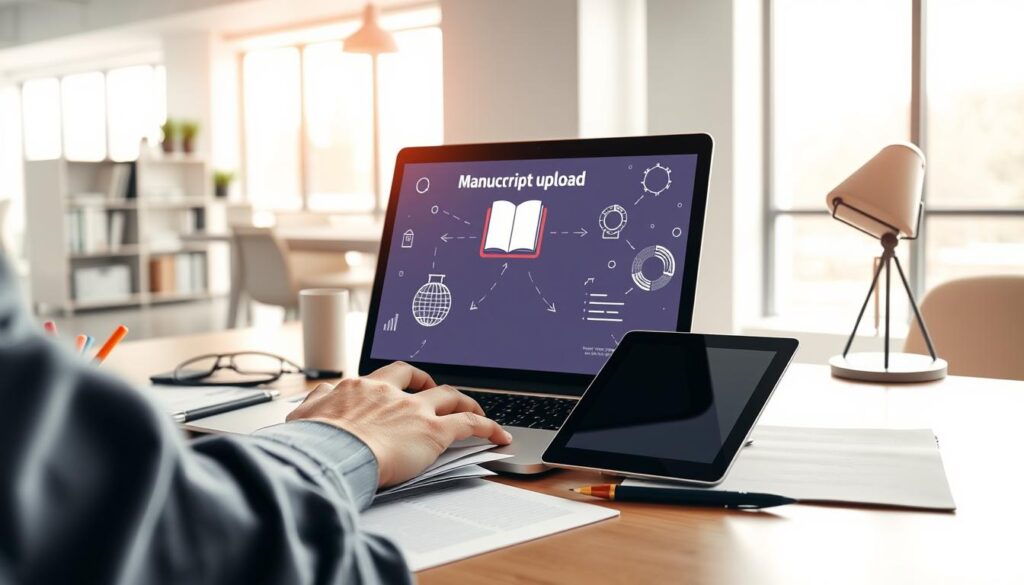
Prepare your manuscript in the correct file format. Log in to your Amazon KDP account. Navigate to your bookshelf and click “Create New Title.”
Follow the prompts to enter your book details, upload your manuscript, and cover design. Be sure to fill in all required fields accurately to avoid delays.
Previewing Your eBook
After uploading, preview your eBook to check for formatting issues or errors. Amazon KDP’s previewer tool lets you see how your eBook looks on different devices. Use this tool to identify and fix any problems before making your eBook live.
Pay close attention to eBook formatting issues like font sizes, margins, and image placements.
By following these steps and ensuring your manuscript is correctly formatted, you can successfully upload your eBook to Amazon. Make it available to readers worldwide.
Crafting an Engaging Book Description
To stand out in a crowded market, your book description must be both informative and captivating. A compelling book description is key to grabbing potential readers’ interest. It convinces them to buy your eBook.
The Power of a Strong Book Blurb
A strong book blurb is more than just a summary; it’s a sales pitch. It highlights your eBook’s unique aspects. It should entice readers, spark curiosity, and make them want to learn more about your book.
Key benefits of a well-crafted book blurb include:
- Increased visibility in search results
- Improved conversion rates
- Enhanced reader engagement
Essential Elements to Include
When crafting your book description, consider these key elements:
- A clear and concise summary of your eBook
- Highlighting the main themes and plot
- Incorporating relevant keywords for SEO
- A call-to-action to encourage purchases
By including these elements, you can create a book description that resonates with your target audience. It drives sales.
Tips for Persuasive Writing
Persuasive writing is crucial for making your book description effective. Here are some tips to enhance your writing:
- Use emotive language to create a connection with your readers
- Highlight the benefits and unique selling points of your eBook
- Keep your description concise and focused
- Use social proof, such as reviews or testimonials, to build credibility
By applying these tips, you can craft a book description that informs and persuades. It convinces readers to buy your eBook.
Marketing Your eBook Effectively
In today’s digital world, marketing your eBook well means using many strategies. This includes social media, your own website, and working with influencers. A good plan can make your eBook more visible, increase sales, and help you reach more people.
Utilizing Social Media
Social media is a great tool for promoting eBooks. Authors can use sites like Facebook, Twitter, and Instagram. They can share updates, connect with readers, and promote their eBooks.
- Create engaging content (posts, stories, live sessions) to attract and retain followers.
- Use relevant hashtags to increase the visibility of your posts.
- Engage with your audience by responding to comments and messages.
Building an Author Platform
Having an author platform is key to building trust and connecting with readers. It means having a professional online space. This could be a website or blog where you share your work, updates, and interact with readers.
- A professional website or blog.
- Regular updates on your work, including blog posts or newsletters.
- Engagement with your audience through comments or email newsletters.
Collaborating with Influencers
Working with influencers can be a powerful way to promote your eBook. By teaming up with influencers in your field, you can reach more people and build credibility.
- Identify influencers who are relevant to your genre and have an engaged audience.
- Reach out with a personalized message, explaining why you’re interested in collaborating.
- Propose mutually beneficial collaborations, such as guest posts, interviews, or joint promotions.
By using social media, building a strong online presence, and working with influencers, you can market your eBook well. This will help you succeed on platforms like Amazon.in.
Monitoring Sales and Performance
To make the most of your eBook on Amazon, watch its sales closely. The Amazon KDP dashboard is a great tool. It gives you insights into your eBook’s sales trends and performance.
Understanding the KDP Dashboard
The KDP dashboard is your main spot for tracking sales, royalties, and more. It shows your eBook’s performance in different places and times. By checking it often, you can keep up with your eBook’s sales and make smart marketing choices.
Analyzing Sales Trends
It’s key to understand how your eBook is doing over time. The KDP dashboard lets you see sales data for certain times. This helps you spot patterns and trends. By looking at these, you can see if your marketing is working and change it if needed.
Key factors to consider when analyzing sales trends include:
- Peak sales periods and how to capitalize on them
- Slow sales periods and strategies to boost sales
- The impact of promotions and discounts on sales
Adjusting Your Marketing Strategies
With KDP dashboard insights and sales trend analysis, you can optimize your marketing approach. This might include changing your pricing, launching special promotions, or boosting your book’s visibility through Amazon Ads.
By constantly monitoring your eBook’s sales and performance, you can adapt to market changes. This way, you can make data-driven decisions to boost your eBook’s success.
Continue your eBook publishing journey
After publishing your first eBook on Amazon.in, it’s time to move forward. Getting reader feedback is crucial, as it helps you understand their preferences and how to improve your future books.
Understand your audience
Reviews tell you what works and what doesn’t. They enable you to improve your writing and market your books. Ask readers to leave reviews on Amazon.in to increase your book’s visibility.
Planning for the future
After receiving feedback, start planning your next book. Consider popular genres and what your readers prefer. Keeping up with the latest publishing trends also helps you stay competitive.
Stay informed
To maintain the strength of your business, follow Amazon KDP and eBook marketing policies . Knowing the latest industry news will help you grow and succeed in the long run.